
Most lists of Claude prompts for SEO were written by people who never ran them on a paying client. You can tell, because the prompts collapse the moment real data hits them. A prompt that works on ten made-up keywords breaks on a 4,000 row export full of branded junk, mixed intents, and half-typed questions. We have run Claude inside client SEO work for months, and most prompts we tried did not survive contact with a live account.
A handful did. They earned a permanent slot in the weekly routine.
This is that short list, with the exact wording and, more important, the data you need to paste in with each one.
Good Claude prompts for SEO give the model three things: your real data pasted into the chat, a defined role, and a fixed output format. Prompts that ask Claude to invent keywords or volumes produce fiction. Prompts that ask it to cluster, extract, and structure data you supply produce work you can ship the same day.
Why Most Claude Prompts For SEO Fail
They ask Claude to know things instead of processing things. Claude has no live index of the web and no connection to your rankings, so a prompt like “give me the best keywords for a plumbing site” returns confident guesses.
The volumes will look real. They were invented on the spot.
Try it once and study the output. It comes back formatted like a tool export, columns and all, which is exactly the tell. A real export is never that tidy, and a real analyst would have asked what market you are in first.
The prompts that survive client work all point the other way. They hand Claude something true and ask it to sort, compress, or restructure it.
Flip the direction and everything changes. You bring the data, Claude brings the sorting. That rule shapes the entire workflow, and we walked through the bigger picture in how to use Claude for SEO, so this piece stays on the prompts themselves.
Set Up the Chat Before First Prompt
Three lines at the top of a chat change the quality of everything under it.
- Give Claude a role, one sentence, like “you are an SEO analyst who only works from supplied data”
- State the output format you want, a table, a CSV block, or plain bullet lists
- Tell it to ask for missing data instead of guessing, this one line kills most hallucinations
The third line matters most. The first time we skipped it on a client export, Claude quietly filled a gap with numbers that did not exist anywhere. It has not happened since we added the line.
The two-message pattern
Send the rules and the data separately. Message one carries the role, the format, and the guardrails. Message two carries nothing but the pasted export.
This sounds fussy until you reuse it. The rules message never changes, so it lives as a saved block, and every new task starts by pasting it. In the Claude app a Project does the same job with less friction, the rules sit in the project instructions and every chat inside it starts on standard.
It also makes debugging easier. When output goes wrong, you know which half to fix.
5 Claude Prompts for SEO We Run Every Week
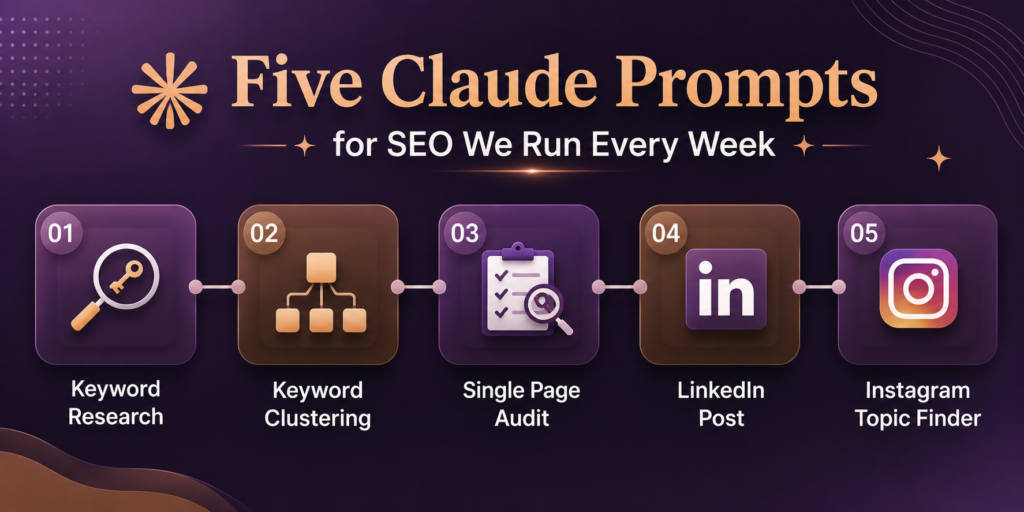
All five are printed in full. Each one follows the same skeleton: a role, the data you paste, hard guardrails, and a fixed output format. Swap the bracketed parts for your own niche and they work as is.
1. The keyword research prompt
One warning before you copy this. Claude cannot do keyword research from nothing, no matter how the prompt is worded. What it can do is take seeds you supply and expand them into candidates worth checking in a real tool. That is what this prompt does, and the UNVERIFIED label is the whole point.
You are an SEO analyst. You only work from data I supply and you never invent search volumes.
My niche: [describe it, e.g. “residential plumbing company in Austin”]
Below I have pasted: my service list, my top Search Console queries from the last 3 months, and the page titles of 3 competitors.
Expand this into a keyword candidate list:
– group candidates by topic
– label each with intent: informational, commercial, transactional, or local
– include question forms and modifier variants (cost, near me, vs, best, how to)
– mark every candidate UNVERIFIED, volumes come from my tool, not from you
Return a table: topic, keyword candidate, intent, why you included it.
If any context is missing, ask me before you start.
[paste seeds here]
The output is a research queue, not a keyword list. We run the candidates through SEMrush the same day and usually a third survive. That third is worth the ten minutes.
2. The Keyword Clustering Prompt
This is the one for the day an export crosses a thousand rows and your eyes give up.
You are an SEO analyst. Below is a raw keyword export from [tool], pulled on [date], for the [country] market.
Cluster these keywords by search intent. One cluster equals one topic a single page could target.
Rules:
– do not invent keywords or volumes, keep volume figures exactly as supplied
– flag anything branded, irrelevant, or duplicated in a separate list at the bottom
– if two clusters could live on one page, merge them and say why
Return a table: cluster name, primary keyword, intent, keywords in cluster, suggested page type (blog post, service page, comparison).
[paste export here]
The flag instruction exists because our first pass on a client export came back with clusters polluted by competitor brand terms. Claude will not clean what you do not tell it to clean. The merge rule came later, after we caught it splitting “emergency plumber” and “24 hour plumber” into two pages that would have cannibalized each other.
3. The Single Page Audit Prompt
A full site audit chains several data sets and deserves its own workflow, which we covered in our Claude SEO audit guide. For one underperforming URL, this smaller version is faster and honestly gets used more.
You are an SEO auditor. You only comment on what is in the data below. If something you need is missing, ask instead of assuming.
Target keyword: [keyword]
Page URL: [url]
Pasted below: the page title, meta description, every heading in order, the full body copy, and the internal links on the page.
Audit the page for:
1. title and meta against the target keyword, with a rewrite if either is weak
2. heading structure, plus subtopics a top ranking page would cover that this one skips
3. intent match, does the content answer what the searcher came for
4. internal linking, suggest anchors using only URLs I supplied
5. anything thin, duplicated, or off topic
Return a table: issue, location on page, severity (high, medium, low), exact fix.
[paste page elements here]
Paste the rendered page content, not the URL. Claude in a plain chat cannot open links, and when it pretends to, the audit is fiction.
4. The LinkedIn post prompt
SEO work does not end at publishing anymore. AI search engines lean on brand mentions and discussion, so distribution is part of the job now. This prompt turns a published article into a post without the LinkedIn cringe.
You are my LinkedIn ghostwriter. You write from my material only, never from general knowledge.
Below is a section from my published article, plus two of my old posts so you can copy how I write.
Write one post from it:
– the first line must work as a hook on its own, never “excited to share”
– keep my numbers exactly as supplied, no rounding, no inventing
– one idea per post, cut anything serving a second idea
– paragraphs of one or two lines
– no hashtag walls, maximum 3 at the end
– close with a specific takeaway or a real question, not “thoughts?”
[paste article section here]
[paste 2 of your own posts here]
The voice sample line does more work than every other line combined. Without it you get the same post the whole platform is publishing this week.
5. The Instagram topic finder prompt
Same discipline, different channel. The mistake people make is asking Claude for “viral reel ideas,” which produces the same twenty ideas everyone else got. This version mines your own data for topics only you can make.
You are a short form content strategist. Work only from the data below.
I make [reels or shorts] about [niche] for [audience].
Pasted below: [my Search Console queries / my keyword export / questions from my comments and DMs].
Find video topics:
– every topic must trace back to a specific line in my data, cite the line
– for each: a working title, the hook line for the first 2 seconds, and the format (talking head, screen recording, voiceover)
– rank by how often the underlying question shows up in my data
– flag topics that are real but too broad for one video
Return a table sorted by rank. If the data only supports 8 good topics, give me 8, do not pad to a round number.
[paste data here]
Ask for the questions the ranking pages fail to answer, not just what they cover. That gap is usually the angle worth writing, and it is the same trick we lean on across our Claude workflow.
Which Claude Prompt Should You Start With?
Start with page two mining. It needs one export, it finishes in minutes, and the output is a list of shippable edits rather than ideas.
Clustering comes second, the first time a keyword export crosses a thousand rows. The brief builder earns its place the week you commit to a publishing schedule.
Our own week settled into a shape without much planning. Page two mining runs Monday across accounts, because those edits ship fastest. Clustering runs whenever a new engagement lands a fresh export on the desk. Metas get batched at the end of the week, when the writing brain is spent anyway.
You will find your own rhythm. The point is that each prompt maps to a recurring task, not to a one-off experiment.
A full site audit is a different animal. It chains several data sets together, so we broke it out into its own guide to the Claude SEO audit prompt we run on new sites.
Mistakes That Quietly Ruin the Output
- Trusting any number Claude produces on its own, volumes and difficulty scores must come from your tool
- Pasting data without naming its source and date range
- Publishing a first draft untouched
- Reusing one giant chat for weeks until the context degrades, start fresh per task
The clusters and briefs that come back are roughly eighty percent right. The remaining twenty percent is your job, and it is the part the client is paying for. A cluster merged wrongly, an intent label that misses local nuance, a brief that skips the question your market actually asks. Catching those takes minutes if you know the account and forever if you do not.
One more honest note. These prompts run in ChatGPT too, and mostly work. Claude holds far more pasted text in one go, which is the reason it won the job in our Perplexity vs ChatGPT vs Claude comparison.
Copy the two printed prompts, run them on your own exports this week, and keep whichever earns its place. That is the whole method.
FAQ’s
Do These Prompts work with any Claude Model?
Yes. Clustering and extraction run fine on the fast models. Use the strongest model for briefs, where judgment matters more than speed.
Can Claude Pull live Keyword Volumes?
No. It has no index and no tool access in a plain chat. Export volumes from SEMrush or Search Console and paste them in.
How long Do The Pasted Exports Stay Useful?
Treat a chat as disposable. Data ages out of relevance in weeks, so re-export and start a fresh chat for each monthly run.

SEO and digital marketing specialist. I also write about jobs abroad, relocating overseas, and learning languages. MBA in Marketing.