
Claude is the obsession of the month, and not in one corner of the office either. Marketing is hooked, product is hooked, and SEO is right there with them, which is why searches for how to use Claude for SEO keep climbing. With models this capable, the rush makes sense.
SEO is my bread and butter, and Claude has lived in my daily workflow for months now. The technical audits, the Search Console query mining, the topic and entity mapping, the competitor gap analysis, the GEO and AEO work everyone is scrambling to crack. Stuff that used to swallow whole months now closes in a few days.
So why should I be the only one cashing in.
Claude is a large language model that speeds up SEO by handling the analytical and drafting work: clustering keywords by intent, turning SERP data into briefs, writing schema markup, mapping internal links, and producing first drafts. It does not replace your crawler, rank tracker, or judgment. You feed it your own data, and you check its output.
What you do with Claude depends on where you are in SEO, so I have mapped it across three stages.
How To Use Claude for SEO Beginner Stage (Learning The Craft)
If SEO is still new to you, the worst move is to let Claude run the show. You will ship confident work you cannot judge yet. Use it as a patient tutor instead.
Ask it to explain what a canonical tag does, why a redirect chain hurts, or what your crawl tool is actually flagging.
Paste a wall of jargon and ask for it in plain words. Hand over your first audit and ask what you missed.
- Decode a tool report line by line
- Explain SEO concepts in plain English, with examples you can picture
- Pressure test your first content brief before you commit to it
- Rewrite jargon into something a client would understand
This is the exact loop I wish I had when I started. It turns a confusing report into a lesson, and the basics stick because you are doing the work yourself.
How To Use Claude for Intermediate SEO User (Real Client Work)
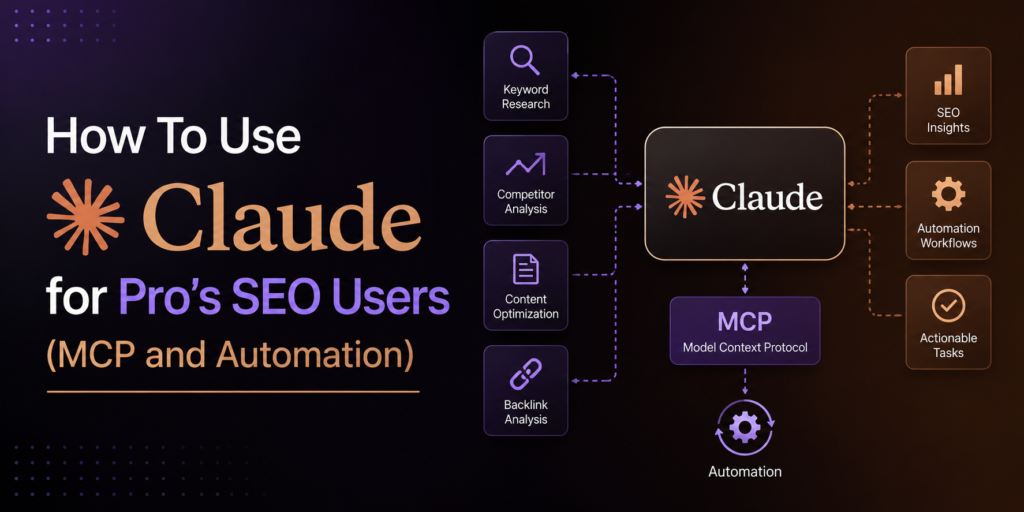
Once the basics are second nature, Claude stops being a tutor and becomes a second pair of hands. This stage is where the months into days claim actually holds, because the work here is heavy and repetitive, the kind you can hand off in chunks.
The rule that makes Claude AI for SEO analysis work is simple. Feed it your own data and never lean on its memory.
Paste a raw keyword export and ask it to cluster by intent. Drop in a Search Console pull and ask for the queries sitting in positions eleven to twenty, the ones a title tweak can lift to page one.
- Paste a messy keyword export and ask for clusters by search intent
- Feed it the top five ranking pages and have it draft the brief
- Pull a Search Console export and ask for everything stuck on page two
- Generate JSON-LD for your FAQ and Article pages, ready to paste
- Hand it a URL list and ask where internal links are missing
- Batch your meta titles and descriptions inside the character limit
The brief workflow is the one I lean on most. Pull the headings from the pages already ranking and paste them together.
Ask Claude for every subtopic they cover plus the questions none of them answer well. That gap is your angle, and the outline writes itself from there.
This stage is where I clawed back the most time. A brief that used to eat an afternoon now takes one good prompt and a cleanup pass.
This is not theory for me. I have run this loop on my own site and on client work, and a roofing client now ranks for terms like SEO for roofing company. The articles bring in real business, and more roofing clients keep coming off the back of it.
The one catch is the numbers. Claude will hand you a tidy grid of search volumes that look right and were invented on the spot, so every figure comes from a real tool.
How To use Claude for Advanced SEO User (MCP and Automation Stage)
At this point you have a workflow that works. The next move is to take yourself out of the loop, and that is where MCP earns its place.
MCP, the Model Context Protocol, is an open standard that lets Claude connect to other tools and data sources through one common link. In plain terms, it is how you let Claude read from the places your SEO data already lives, instead of you copying exports into the chat all day.
Setup is easier than it sounds. In the Claude app, open settings and turn on the connectors you need, like Google Drive for your audit sheets and keyword files.
Now Claude can pull from them directly. For anything custom, you add a server by its URL and it shows up as a tool Claude can call.
Once that pipe is open, the work changes shape.
- Point Claude at your Drive and have it read this month’s keyword exports with no copy and paste
- Run a brief or a batch of meta tags through the API so you process hundreds in one go
- Build a project that holds your brand voice and brief rules, so every draft starts on standard
- Spin up a small tool inside Artifacts, like a title length checker, without leaving the chat
- Chain a saved prompt to a connected source so the pull, the read, and the draft happen together
Once I wired the data in, I stopped touching exports at all. That was the shift that freed up my week, more than any single prompt ever did.
Claude vs ChatGPT for SEO content
People want to know which one to use, and the honest answer is that both write competent copy. The gap shows up around the words, not in them.
Claude holds far more text in one go, so you can paste a whole competitor article or a long keyword list without slicing it up. It also sticks to formatting and voice rules closely, which matters when you are trying to sound like a person and not a brochure.
For Claude for SEO content specifically, that close instruction following is what matters most. A draft that ignores half your brief is just more editing later.
Neither model can be trusted with a fact, a number, or a citation. Both will produce a believable source that does not exist. The draft is a draft.
What Not To Do With Claude or AI in SEO?
Claude speeds up the work, but it can wreck a site if you let it run unchecked. The failures are predictable, so they are easy to dodge once you have seen them.
Almost all of them trace back to one habit. Treating a confident answer as a correct one.
The mistakes that show up again and again:
- Trusting its numbers, when search volume and difficulty are invented unless they came from your tool
- Publishing the first draft as is
- Letting it cite sources, because it will hand you a real looking study that was never written
- Spinning up hundreds of pages just because you can, the exact pattern Google’s spam policies are built to catch
- Asking it for today’s live rankings
- Handing over the strategy, when it does not know your audience, your margins, or what the client needs
All of it comes back to one hard line. Claude sorts, drafts, and structures. People and tools check.
Months into days is real, but only on the work that was always mechanical to begin with.
Ranking content is one way I use Claude, and the one I have walked through here. The same projects write my LinkedIn posts and social content, and the channels compound when you run them together.
FAQ
Can Claude do keyword research on its own?
Not reliably. It cannot pull live search volumes, so use it to cluster and structure data you export from a real keyword tool.
Will Google penalize content written with Claude?
No. Google judges quality and helpfulness, not the tool you used. Thin, unedited AI text gets hit, so edit it and add real experience.
How much time does Claude for SEO really save?
Most of it lands on clustering, briefs, and first drafts, which can fall from days to hours. Strategy and verification still take human time.

SEO and digital marketing specialist. I also write about jobs abroad, relocating overseas, and learning languages. MBA in Marketing.