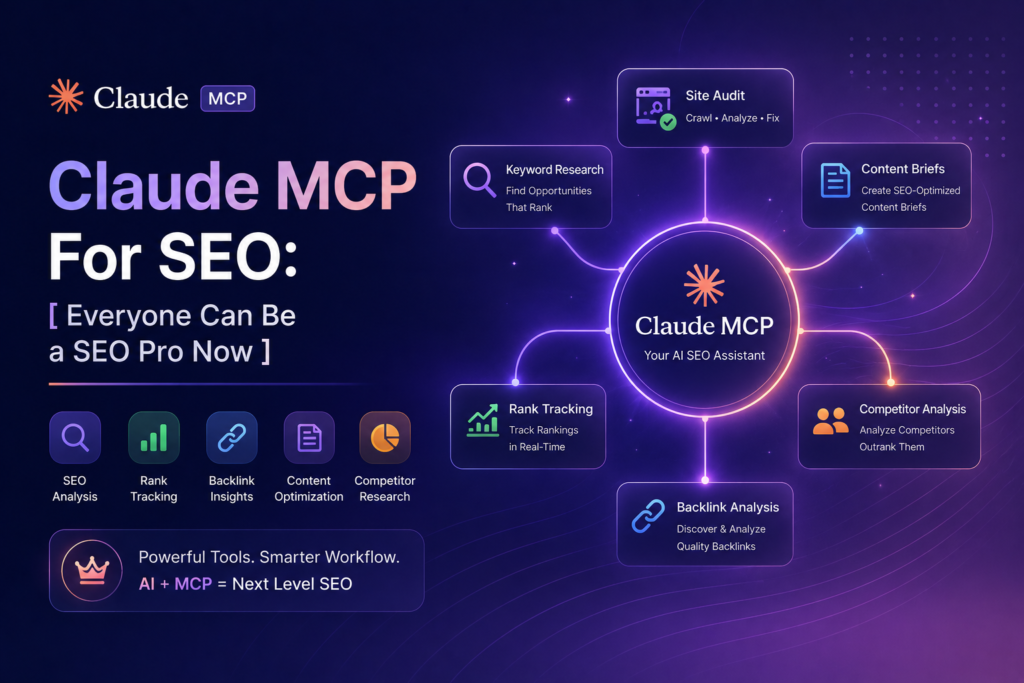
Every Claude workflow we ran last year carried the same hidden tax: export, download, copy, paste, repeat, for every tool, every month. Claude MCP for SEO removes that tax by connecting Claude directly to the places your data already lives, Search Console, your keyword tool, your spreadsheets. Once the pipe exists you just ask, and the data is there.
MCP stands for Model Context Protocol. It is an open standard, not a proprietary trick.
The simplest mental model: a USB port between Claude and your SEO stack.
MCP, the Model Context Protocol, is an open standard that lets Claude connect to external tools and data sources. For SEO this means Claude can query Search Console, SEMrush, or your files directly instead of you pasting exports. You enable ready-made connectors in Claude’s settings, or add a custom server by its URL.
What MCP Changes in a Real SEO WorkFlow
Before MCP, our monthly routine started with forty minutes of exporting. GSC, SEMrush, analytics, each one downloaded, trimmed, and pasted into a chat that would forget it all next session.
After wiring the connections in, the same work starts with a question. Which queries slipped out of the top ten this month. Which pages lost impressions. The export folder on the desktop simply stopped growing.
The quality changes too, quietly. Pasted data is a snapshot that ages the moment you paste it. Connected data is current every time you ask.
A sample of real questions from our first connected month: which queries dropped out of the top ten since the core update, which posts earn impressions for queries they never mention, which client pages lost clicks while holding position. Each one used to be an export and a pivot table. Each one is now a sentence.
How To Set up Claude MCP For SEO
The easy path lives in the Claude app itself. Settings, then connectors, then switch on what you use. Google Drive alone covers a surprising amount, since that is where most keyword sheets and audit docs already sit.
For anything beyond the built-ins, you add a server by URL and it appears as a tool Claude can call. The official directory and each tool vendor’s docs list what is available.
In Claude Code the same thing is one command, claude mcp add, followed by the server details. Terminal users get the widest choice of community servers today.
Expect the first setup to take an evening, mostly on authentication. Every setup after that takes minutes.
The authentication step is worth describing because it is where people stall. Search Console wants an OAuth approval against the property you manage, the same consent screen any SEO tool shows. SEMrush wants an API key from your account page. Keys live in the server config, not in your chats, and never in a prompt.
A minimal first pipeline
Resist the urge to wire everything at once. Our recommendation is one pipe for one week: Search Console only.
Ask the same three questions every morning. What dropped, what climbed, what is sitting on page two with impressions to spare. By Friday you will know the answers arrive faster than your old export habit, and you will know exactly which second pipe you want.
That slow rollout also keeps trust intact. One connection is easy to verify against the tool’s own interface. Five at once is a debugging session.
Which MCP Servers Are Worth Connecting for SEO?
Connect what answers your weekly questions, not everything that exists. Ours, in the order they earned their place:
- Search Console, the one non-negotiable, rankings and impressions on demand
- SEMrush, live volumes and difficulty inside the chat, the official MCP ended our volume-pasting era
- Google Drive, for the sheets and docs a client account accumulates
- A SERP data server such as DataForSEO, when you need result-page snapshots
- Filesystem access through Claude Code, for crawl exports too big to paste anywhere
| Connection | What you can ask once it is live | Setup effort |
| Search Console | Declining queries, page two lists, indexing gaps | Low |
| SEMrush MCP | Live volume and difficulty for any list you are discussing | Low |
| Google Drive | Read and update keyword sheets in place | Low |
| DataForSEO | Who ranks for a query right now, SERP features present | Medium |
| Filesystem (Claude Code) | Full crawl and log analysis on local files | Medium |
When MCP is Overkill
An honest boundary. If you run one site and check rankings weekly, the export-and-paste routine costs you ten minutes a month, and no pipe pays for itself against that.
MCP earns its setup in the evening when the same questions repeat across accounts, or when the pasting itself has become the reason a check gets skipped. Skipped checks are the real cost, not the minutes.
One-off analyses also stay in paste land for us. A single competitor teardown does not deserve a server.
There is a GEO angle hiding in here as well. A SERP data connection lets you watch which queries in your market now show AI Overviews, and how often your pages appear as sources. Tracking that by hand across fifty queries is the kind of chore that never survives a busy week. Through a pipe it is one recurring question.
The Checks That Keep Connected Data Honest
New pipes deserve suspicion. For the first week we ran every MCP answer against the tool’s own interface, and finding zero mismatches is what earned the trust, not the vendor’s word.
Scope access tightly. Read-only wherever the option exists, one client property per connection where the tool allows it.
The other habit worth copying is a connection log, one line per server: what it can read, which account it uses, when it was added. Five minutes of notes, and every access review afterward stops being archaeology.
And the old rule survives the new plumbing. A model quoting your real SEMrush numbers can still reason wrongly about them, so conclusions get reviewed even when the data is live.
The payoff shows up fastest in audits. The audit prompt stops needing its long paste-in preamble when the data arrives by itself, and the monthly routine from how to use Claude for SEO compresses by roughly the same amount again.
Wire in Search Console first. It is free, the auth takes ten minutes, and one week of asking it questions will tell you whether the rest of the stack deserves a pipe.
And keep one paste habit alive. Once a quarter we still pull a manual export and spot-check it against what the pipes report. Trust in a data pipeline is a maintenance task, the same way the connections themselves are.
FAQ’s
Is mcp only for developers?
No. Built-in connectors switch on inside the Claude app settings with no code. Custom servers need comfort with a URL and an API key, nothing more.
Does mcp work with the claude mobile or web app?
Connectors work in the web and desktop apps on paid plans. The widest server support today is in Claude Code on the desktop.
Can mcp write to my seo tools, not just read?
Some servers allow writes, like updating a sheet. Start read-only, and add write access only where a mistake would be cheap to undo.

SEO and digital marketing specialist. I also write about jobs abroad, relocating overseas, and learning languages. MBA in Marketing.